
Audio Hosting Requirements for Music vs Talk Stations
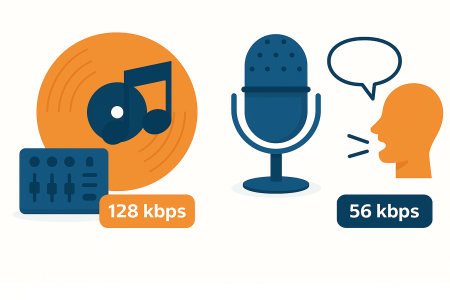
Music stations and talk radio stations have very different audio hosting requirements. The type of content you broadcast determines the bitrate you need, how your AutoDJ should be configured, and what your listeners expect in terms of sound quality. This guide explains the key differences so you can choose the right setup for your station.
Key Takeaways
- Music stations require higher bitrates (128-192 kbps) for better sound quality, while talk radio can function efficiently at 48-64 kbps.
- Use MP3 or AAC encoding for music; AAC is preferred for talk radio due to its clarity at lower bitrates.
- AutoDJ setups differ: music stations benefit from crossfades and smooth transitions, whereas talk radio needs simple cuts.
- Choosing the right audio settings improves listener experience and reduces bandwidth waste for both music and talk radio setups.
- Proper setup helps match hosting requirements to content type, ensuring optimal audio performance.
Music Stations: Best Audio Settings
Music requires higher audio quality because listeners can easily hear compression artifacts, distortion, or low-quality encoding. Music stations should prioritize clarity, stereo sound, and smooth transitions between tracks.
- Recommended Bitrate: 128 kbps or 192 kbps for the best balance of quality and bandwidth
- Encoding Type: MP3 is standard, AAC offers higher quality at a lower bitrate
- AutoDJ Setup: Use crossfade and smart transition settings for smoother blends
- Normalization: Use consistent volume leveling to avoid track-to-track loudness jumps
- Metadata: Ensure proper artist and title tagging to improve listener experience
Talk Radio Stations: Best Audio Settings
Talk radio focuses on voice clarity rather than musical range. This allows for lower bitrates without sacrificing listener experience. Hosting requirements are usually lighter and more bandwidth-efficient.
- Recommended Bitrate: 48 kbps to 64 kbps is ideal for spoken word
- Encoding Type: AAC at 48 kbps sounds clear and efficient
- AutoDJ Setup: No need for crossfades, simple cuts are fine
- Microphone Quality: A Good mic and basic processing greatly improve clarity
- Scheduling: Talk stations benefit from fixed show schedules and predictable segments
Why These Differences Matter
Using the wrong bitrate or setup can hurt your listener’s experience. Music requires higher fidelity, while talk radio focuses on speech intelligibility and efficiency. Matching your hosting configuration to your content type will improve audio quality and reduce bandwidth waste.
Recommended Settings at a Glance
- Music: 128 kbps to 192 kbps, stereo, crossfade, metadata, volume leveling
- Talk: 48 to 64 kbps, mono or AAC low-bitrate stereo, no crossfade, speech-optimized mic
Related Guides
- What Is Internet Radio Hosting
- Streaming Server Hosting Explained
- Internet Radio Hosting Plans Explained
- Beginner’s Guide to Online Radio
- How to Start an Online Radio Station
FAQs
Music stations sound best at 128 kbps or 192 kbps because music needs higher audio quality and stereo clarity.
Talk radio works well at 48 to 64 kbps since voice does not require the same audio range as music.
Yes, music stations benefit from crossfades and smooth transitions, while talk stations work best with simple cuts and no crossfade.
Talk radio can use mono or low-bitrate AAC stereo to reduce bandwidth without lowering voice clarity.
Music stations usually need higher bitrates and more bandwidth, while talk stations can operate efficiently on lower resource plans.


