
Your radio station sounds great. But your player is what people see first.
You’ve spent real time on your station. The programming, the sound, the mix. But when someone lands on your site and hits play for the first time, they don’t hear any of that yet.
What they see is your player.
And if that player looks like it was dropped in from 2012 — no branding, no artwork, no personality — they’re already forming an opinion before the first song plays.
First impressions happen in seconds. Your player is making one whether you designed it or not.
Why Generic Players Are Costing You Listener
Most radio station owners use whatever player came with their hosting or grabbed a free embed from somewhere online. It plays audio. It works. And it tells your listeners absolutely nothing about your station.
No branding. No identity. Nothing that makes your station feel like your station.
The problem isn’t just aesthetics — it’s trust. A polished player signals that someone is behind this station, maintaining it, investing in it. A generic one signals the opposite. Listeners make that call fast, and most never consciously think about why they stayed or left.
Beyond that, a bad player misses every opportunity to reinforce your brand, share your station name, and give listeners a reason to bookmark your page or come back.
Build a Player That Actually Represents Your Station
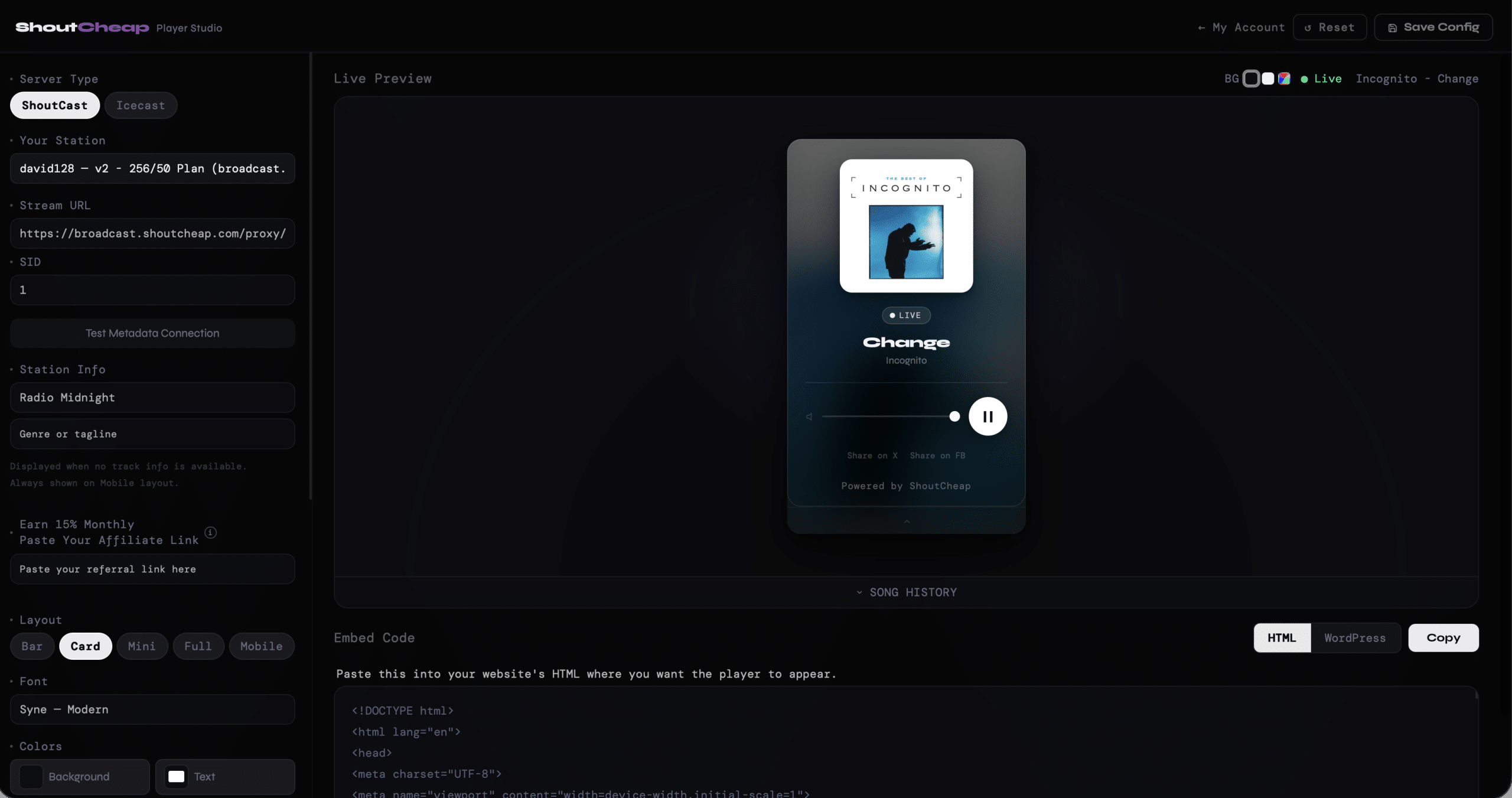
Player Studio is a visual builder included with your ShoutCheap hosting plan. Pick a layout, set your colors and fonts, and get embed code ready to paste anywhere — no coding, no setup, no third-party accounts.
See your player take shape instantly as you design it, so you know exactly what your listeners will experience before you publish.
Five Layouts. One for Every Site.
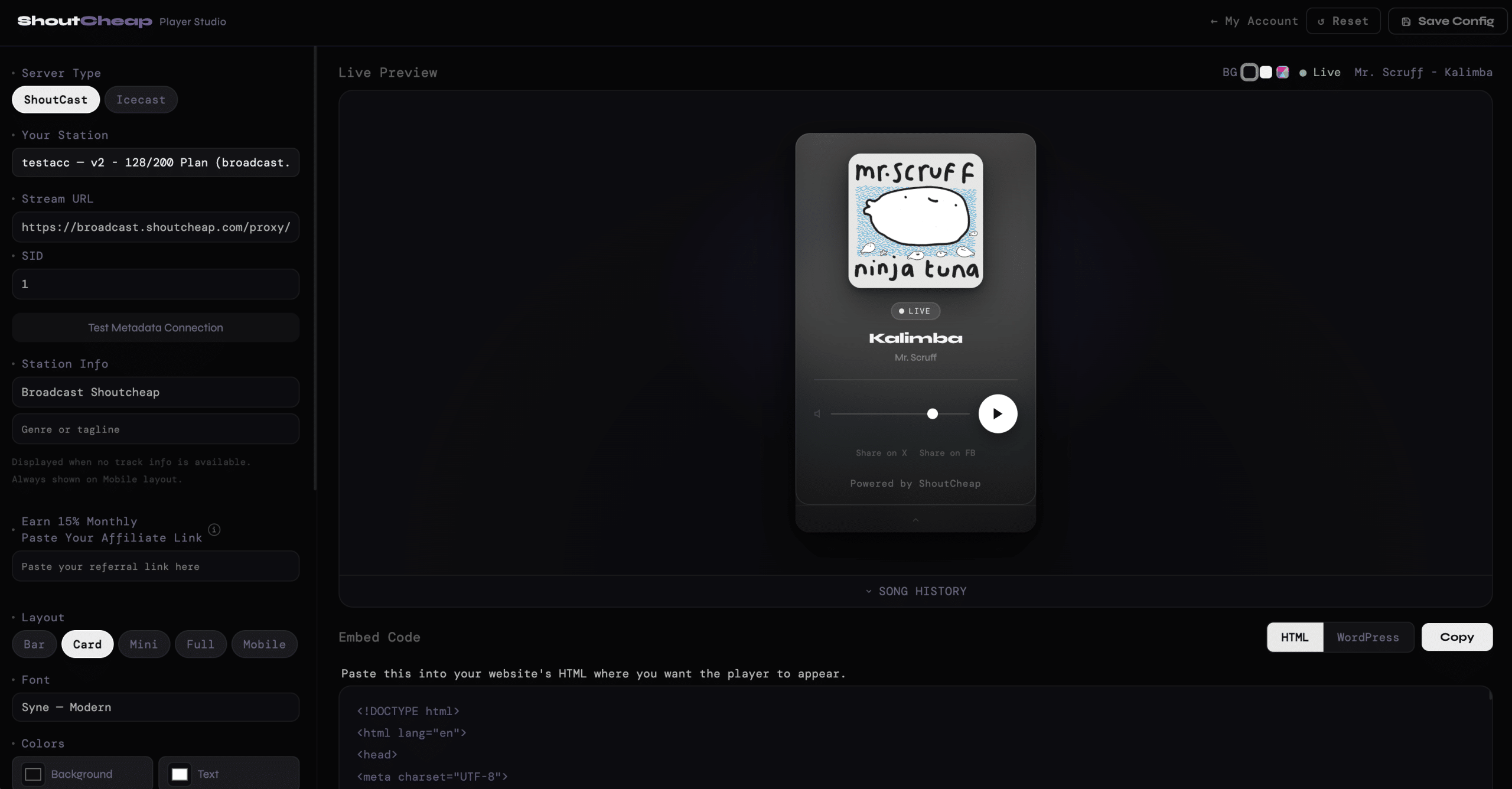
Player Studio isn’t one size fits all. You choose the layout that fits your site and your audience. Not every station needs the same player. That’s why Player Studio gives you multiple layouts designed for different use cases:
- Bar — a slim horizontal strip that sits at the bottom of any page without interrupting your content
- Card — a compact square player with album art, track info, and controls — the most popular layout
- Mini — the smallest footprint, ideal for sidebars or tight spaces
- Full — maximum presence, maximum detail, for stations that want the player to be the centerpiece
- Mobile — a full-screen, iOS lock screen–style experience designed for listeners on their phones
Entry plan customers get Bar and Mini. Standard add Card and Full and Pro unlock all five layouts.
What You Can Customize
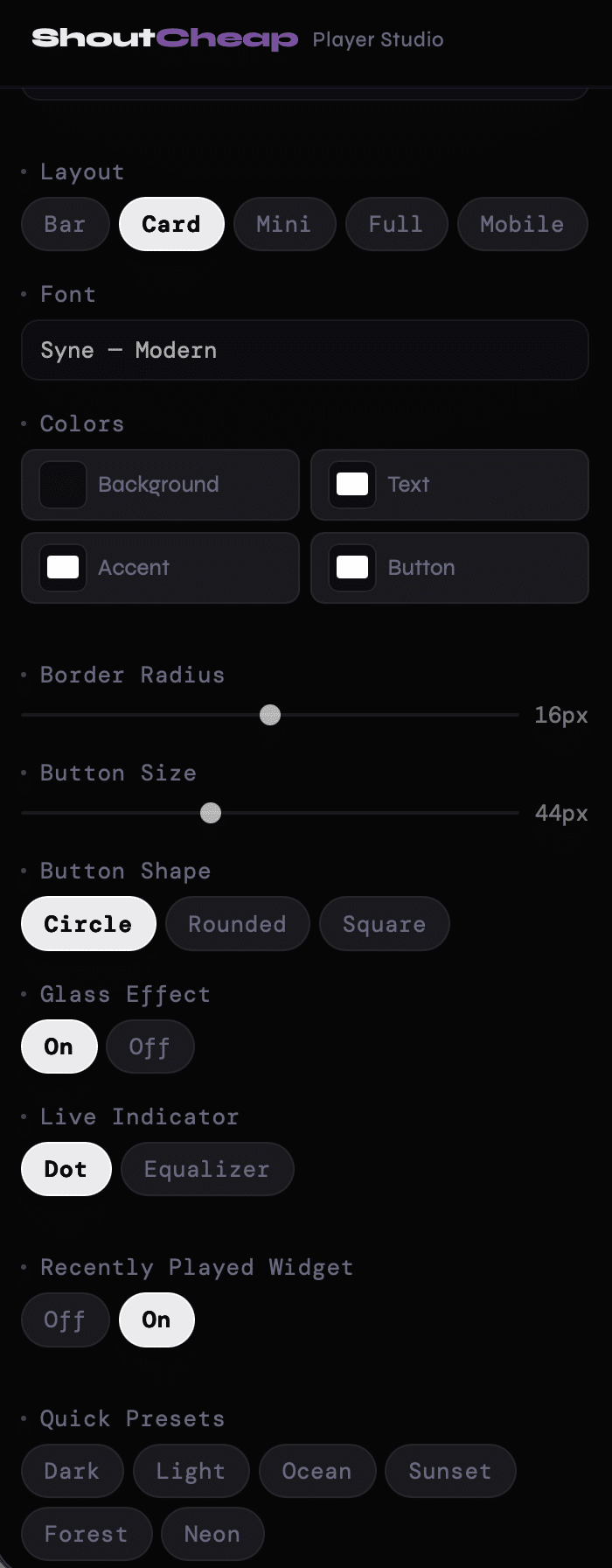
Player Studio gives you control over every visible detail of your player:
- Colors — background, text, accent, and button color all independently adjustable
- Font — choose what fits your station’s personality
- Border radius — from sharp-edged to fully rounded, with a live slider
- Button size and shape — circle, rounded, or square
- Glass effect — a frosted blur behind the player controls
- Quick presets — Dark, Light, Ocean, Sunset, Forest, Neon — a starting point you can make your own
- Live indicator — dot or equalizer animation to show the station is live
- Recently played — a drawer showing the last five tracks
- Affiliate link — replace the “Powered by ShoutCheap” credit with your referral link and earn 15% monthly on every signup
The Embed Code Is Ready When You Are
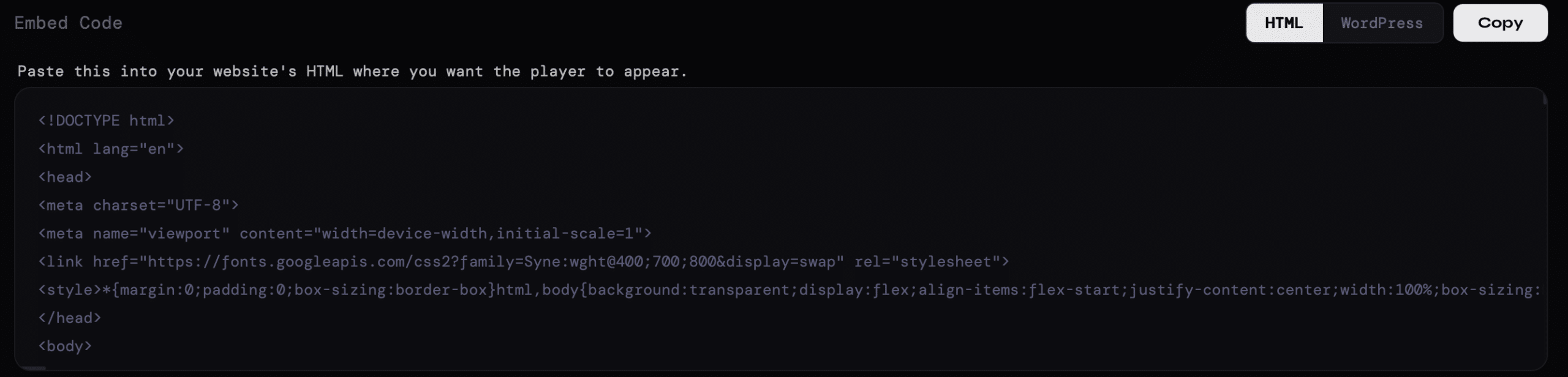
When you’re done, click Copy. You get a self-contained snippet — HTML or WordPress shortcode — ready to paste anywhere. No accounts to connect, no plugins required, no technical knowledge needed.
The Mobile Layout Changes What’s Possible
Most web players weren’t designed for mobile. Player Studio is. They’re desktop interfaces that happen to shrink down. The result is small controls, tiny text, and an experience that feels like an afterthought.
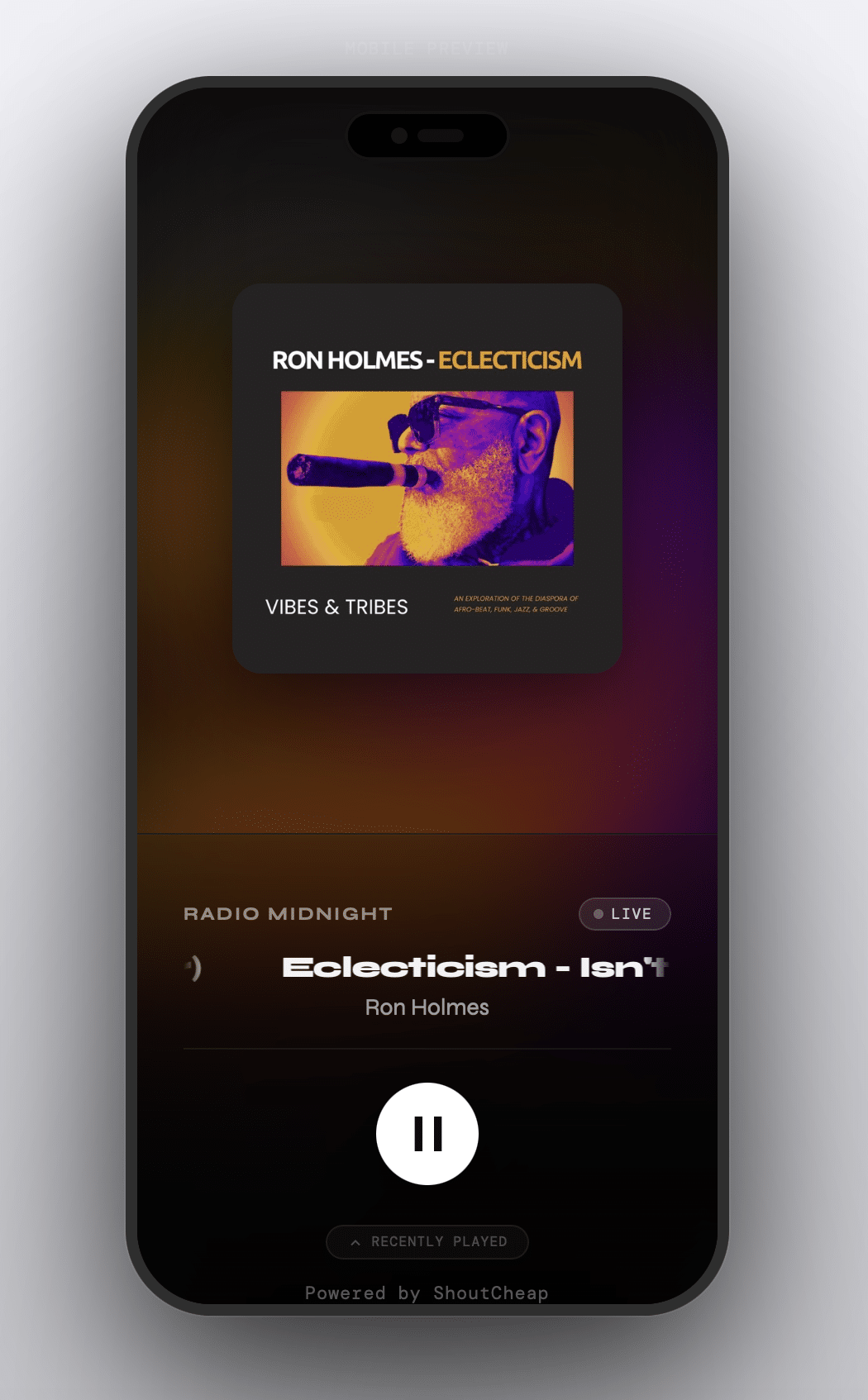
The Mobile layout in Player Studio is different. It’s built from scratch for phones — a full-screen experience with blurred album art as the background, large play controls, and a swipeable track history drawer.
Listeners can install it directly to their home screen like a native app. The screen stays on while they’re listening. And with the Universal Share Link on Pro plans, you get a permanent hosted page URL — one link you can share anywhere that always opens your mobile player.
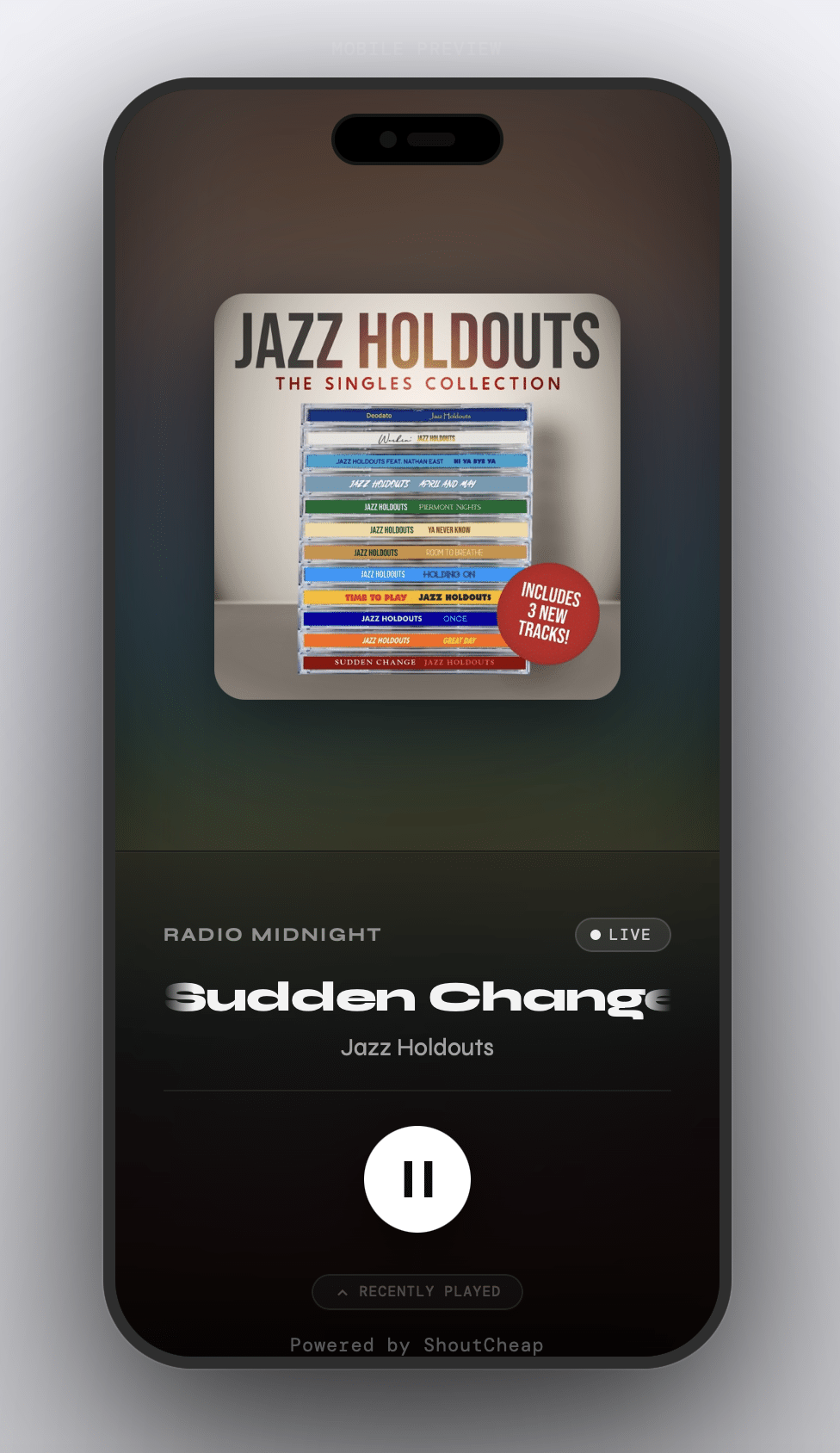
Listeners can install it directly to their home screen like a native app. The screen stays on while they’re listening. And on Pro plans, you get a Universal Share Link — a permanent hosted page URL that you can share anywhere. One link, always your station, always your player.
How It Works
No installs. No accounts. No technical knowledge required.
1. Open Player Studio from your account, it’s already available based on your plan. — no extra charge, no activation needed. Log into your ShoutCheap account and open it directly.
2. Enter your stream URL. Paste your stream URL and Player Studio connects automatically, detects your server type, and pulls in your station name. If you have multiple stations, pick from the dropdown.
3. Design your player. Choose your layout, colors, font, button shape, and whether to show recently played tracks. Everything updates live in the preview.
4. Copy your embed code. Click Copy and you get a self-contained HTML snippet. Paste it anywhere — your website, WordPress, a landing page. It works.
Part of the ShoutCheap Studio Toolkit
Player Studio is part of a growing set of browser-based tools built for ShoutCheap customers — each one designed to solve specific challenges radio station owners face, without requiring software installs or technical setup.
You can also use tools like MP3tag Studio to fix missing artwork, incorrect titles, and broken metadata directly in your browser. 👉 View the MP3tag Studio overview
Your station deserves a player that looks as good as it sounds..
Player Studio is included with every active ShoutCheap plan — no extra cost, nothing to install. Log in and you’ll find it waiting.
Want a quick breakdown of what each plan includes?
👉 View the Player Studio overview
Not a ShoutCheap customer yet? Every plan includes Player Studio access. The layout you unlock depends on your tier.
Included with your ShoutCheap plan. No downloads. No setup.


