
TuneIn Radio Streaming: Complete Guide for Getting Your Station Listed
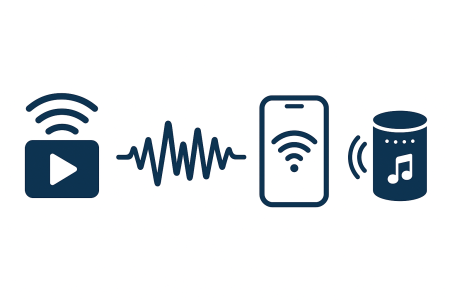
TuneIn reaches more than 75 million monthly listeners across phones, cars, smart speakers, and TV devices. If you want your online radio station to grow, mastering TuneIn Radio streaming is one of the simplest ways to put your station in front of a global audience. The challenge is that most beginners struggle with the setup process, the technical requirements, and the approval steps.
Table of contents
- What TuneIn Radio Streaming Is and Why It Matters
- TuneIn Radio Streaming Requirements
- How to Create a Reliable Stream for TuneIn
- How to Submit Your Station for TuneIn Radio Streaming
- How TuneIn Reviews Your Station
- Optimizing Metadata for TuneIn Radio Streaming
- Common TuneIn Submission Problems
- TuneIn Radio Streaming and Smart Speaker Integration
- How to Promote Your TuneIn Station
- Using TuneIn Analytics to Improve Growth
- How to Update Your TuneIn Station
- Frequently Asked Questions
- Conclusion: Why TuneIn Radio Streaming Is Valuable
This guide explains everything you need to know. You will learn how TuneIn works, how to submit your station correctly, how to optimize your metadata, how to avoid common rejections, and how to use TuneIn Radio streaming as a long-term growth strategy for your internet radio station.
What TuneIn Radio Streaming Is and Why It Matters
TuneIn is a large online radio directory that collects live radio streams from thousands of broadcasters. Listeners can access TuneIn through mobile apps, smart speakers, web browsers, and even in car dashboards.
- iOS and Android apps
- Web browsers
- Amazon Echo devices
- Google Home speakers
- Sonos, Roku, and Fire TV
- Tesla and other infotainment systems
When your station appears on TuneIn, you gain global exposure, easier listener access, trusted brand visibility, and a discovery channel that helps you grow without paid ads.
TuneIn Radio Streaming Requirements
Before submitting your station, you must meet certain streaming and content requirements.
Required
- A working and stable audio stream
- Direct stream URL
- MP3 format between 96 kbps and 128 kbps
- A website or social media page
- Station logo or artwork
- A clear station description and genre
Recommended
- SSL HTTPS streaming
- 99 percent uptime or better
- Accurate now playing metadata
How to Create a Reliable Stream for TuneIn
TuneIn does not host your stream. You must use your own streaming server before applying. Shoutcheap can provide the hosting service you need.
How to Submit Your Station for TuneIn Radio Streaming
Follow this updated step-by-step method for a successful TuneIn submission.
Step 1: Create a Broadcaster Account
Visit the TuneIn Broadcaster page and sign up for free.
Step 2: Prepare Your Station Information
- Station name
- Country and language
- Stream URL
- Website or social link
- Description and genre
- Logo
Step 3: Submit the TuneIn Station Form
Submit your full station profile and keep your stream active. Submit only once to avoid delays.
Step 4: Wait for Approval
Approval time ranges from 5 to 14 business days. Once accepted, you receive your Station ID and TuneIn URL.
How TuneIn Reviews Your Station
- Stream uptime
- Metadata accuracy
- Copyright compliance
- Website ownership
- Content relevance
Optimizing Metadata for TuneIn Radio Streaming
Metadata helps TuneIn categorize and promote your station correctly. Always keep it accurate.
- Song title and artist
- Program names
- Accurate genre
- Short description
- Show schedule
Common TuneIn Submission Problems
- Offline or unstable stream
- Unsupported audio format
- Broken website link
- Missing description or artwork
- Licensing problems
TuneIn Radio Streaming and Smart Speaker Integration
TuneIn integrates with most major smart speakers, home devices, and car dashboards.
- Amazon Alexa
- Google Home
- Sonos
- Bose speakers
- Android Auto
- Apple CarPlay
How to Promote Your TuneIn Station
- Add your TuneIn link to your website
- Share it on social media
- Use a Listen on TuneIn button
- Promote inside newsletters
- Encourage listeners to save your station
Using TuneIn Analytics to Improve Growth
- Peak listening times
- Countries and cities
- Devices used
- Listener trends
- Listening session duration
How to Update Your TuneIn Station
Use your broadcaster dashboard to update your stream URL, description, logo, genre, or schedule. All changes are reviewed before going live.
Frequently Asked Questions
Most stations are reviewed within 5 to 14 business days
Yes, one account can manage multiple stations.
Yes, listing your station is free.
Common causes include offline streams, missing information, or licensing problems.
Yes, through ads, sponsors, affiliate links, or donations.
Yes, if your encoder app supports streaming to your server.
Conclusion: Why TuneIn Radio Streaming Is Valuable
TuneIn Radio streaming remains one of the most effective ways to grow an online radio station. The platform places your stream in apps, cars, and home speakers, helping new listeners discover your brand. Once your station is approved, TuneIn becomes a long-term growth tool that strengthens your reach and audience size.


