
What Is Internet Radio Hosting, A Beginner Friendly Guide
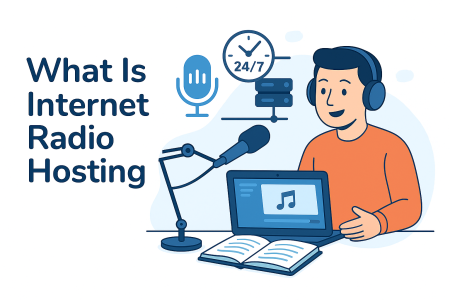
Internet radio hosting is a service that lets you stream audio online so listeners can tune in from any device, anywhere in the world. It works by using a dedicated streaming server that takes your audio, converts it into an online stream, and delivers it to your audience in real time.
Key Takeaways
- Internet radio hosting allows you to stream audio online, using a dedicated streaming server for real-time delivery.
- You can choose between live streaming, using software to broadcast, or Cloud AutoDJ, which automates playlists.
- A good hosting service offers features like global listener access, SSL streaming, and listener statistics.
- When selecting a hosting plan, consider listener limits, bitrate, AutoDJ storage, server location, and SSL support.
- Internet radio hosting benefits various broadcasters, including music stations, podcasts, churches, and community stations.
Table of contents
This guide explains everything in simple terms so beginners can understand how internet radio hosting works, why you need it, and how to choose the right hosting plan.
How Internet Radio Hosting Works
When you broadcast online, your audio must be sent to a streaming server that distributes your signal to listeners. This server is provided by your internet radio hosting provider.
The hosting platform handles the technical work, including:
- Managing the streaming server
- Handling listener traffic
- Converting your audio into streamable formats
- Providing a control panel to manage everything
- Keeping your radio online 24/7
With the right hosting plan, you can broadcast live, schedule automated playlists, and reach listeners worldwide without needing your own hardware or complex setup.
Live Streaming vs Cloud AutoDJ
Internet radio hosting gives you two ways to broadcast.
1. Live Streaming
You use software like Mixxx, BUTT, or a radio encoder to send your live audio to your hosting server. This is great for DJs, talk shows, or live events.
2. Cloud AutoDJ
You upload your music to the hosting control panel, create playlists, and let the AutoDJ system run your station automatically. Your station stays live even when you are offline.
Most successful online stations use both methods to keep their content fresh and always on air.
What You Get With Internet Radio Hosting
A complete hosting service includes several important features that make broadcasting simple for beginners and reliable for professionals.
- A streaming server, the engine that broadcasts your audio online
- Global listener access, anyone can tune in from any device
- Cloud AutoDJ automates your music when you are offline
- SSL streaming, secure playback for websites, apps, and browsers
- Listener statistics, track your audience growth in real time
- Fast setup, your station can be online in minutes
- Control panel, manage playlists, schedules, and stream settings
These tools allow you to run a professional online radio station without technical experience.
Why You Need Internet Radio Hosting
If you want to broadcast audio online, you cannot rely on shared web hosting or your home internet connection. A streaming server is designed specifically for continuous audio delivery and can handle hundreds or thousands of simultaneous listeners.
Internet radio hosting gives you:
- Stable and reliable streaming
- Automatic audio delivery to large audiences
- Audio quality controls like 64 kbps, 128 kbps, 192 kbps, and more
- Tools to manage your station professionally
- Affordable monthly plans with no hardware required
This makes hosting the foundation of every online radio station.
How to Choose the Right Hosting Plan
When comparing hosting plans, consider these factors:
1. Listener Limits
The number of people who can listen at the same time. Choose a plan that fits your expected audience size.
2. Bitrate
Higher bitrates equal better sound quality. Common choices include 64 kbps for talk radio, 128 kbps for music, and 192 kbps for high-quality streaming.
3. AutoDJ Storage
More storage means more songs and more playlists for your automated content.
4. Server Location
Closer servers provide faster connections and smoother playback. Choose a host with locations in North America if most of your listeners are in the United States.
5. SSL Support
Modern browsers and mobile apps require secure streams. Make sure your hosting includes SSL streaming.
Who Uses Internet Radio Hosting
Many types of broadcasters use internet radio hosting to reach listeners online.
- Music stations
- Talk radio and podcasts
- Churches and ministries
- Schools and campus radio
- DJs and entertainers
- Community stations
- Event broadcasters
Anyone who wants to share audio online benefits from a reliable internet radio hosting service.
Get Started With Internet Radio Hosting
You can start your radio station today with a simple hosting plan that includes everything you need to broadcast live or run AutoDJ. If you are new to broadcasting, begin with an affordable plan and upgrade as your audience grows.
To learn more about hosting options, visit the ShoutCheap home page or explore the Internet Radio Hosting Guide for step-by-step instructions and beginner tips.
Related Guides
- How to use AutoDJ?
- Listener limits and bandwidth
- How to start an online radio station?
- SSL streaming
FAQs
Internet radio hosting is a service that provides a streaming server that broadcasts your audio online so listeners can tune in from any device.
No, you only need a computer, your audio source, and a hosting plan. Beginners can start with AutoDJ and add live streaming later.
For music stations, 128 kbps is the most common. Talk radio can use 64 kbps. Higher bitrates give better quality but use more bandwidth.
Yes, you can switch between AutoDJ and live streaming anytime. AutoDJ keeps your station online when you go offline.
With a modern hosting service, your station can be online in minutes once you choose a plan and upload your first playlist.


